
Using Linq Workflow Actions in Salesforce
The Linq–Salesforce integration includes custom workflow/flow actions that let you:
-
Automatically send iMessages/SMS through Linq
-
Check whether a phone number supports iMessage before sending
-
Trigger messages or checks as part of Salesforce automation (Workflows/Flows)
- Send contact card to existing contacts
Step 1: Create a Workflow Rule
-
In Salesforce, go to Setup.
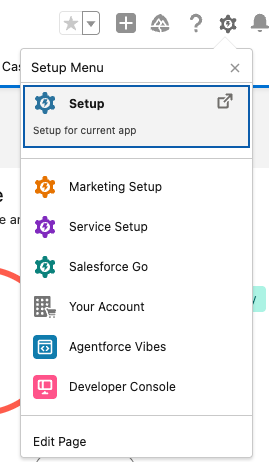
-
In the Quick Find box, search for Workflow Rules.

-
Click New Rule.

-
Choose the object you want to run this on, for example:
-
Lead Activity
-
Contact Activity
-
Or another activity/interaction object used by your team.
-
-
Define your rule criteria, such as:
-
“Message Sent = True”
-
“Call Completed = True”
-
A specific status or field value that should trigger Linq.
-
-
Add the appropriate Workflow Action (see the Linq actions below).

-
Click Save (and activate the rule when you’re ready).
.png?width=311&height=408&name=image%20(24).png)
Linq Workflow Actions
The Linq integration exposes two key actions you can use in Workflow Rules and Flows:
-
Linq – Send iMessage/SMS
-
Linq – Check iMessage Capability
- Linq - Share contact card