
- Message Snippets are reusable, pre-written messages that agents can insert into conversations with a single click. They help your team:
-
Reply faster
-
Stay consistent
-
Use compliance-approved language across channels
Snippets created in Linq are available wherever you use Linq messaging, including the embedded Linq chat in Salesforce.
2. Using Message Snippets in a Conversation (Salesforce or Linq)
You can use snippets from:
-
The Linq web/mobile app, or
-
The Linq chat component embedded in Salesforce (Lead/Contact pages, Inbox, etc.)
Steps
-
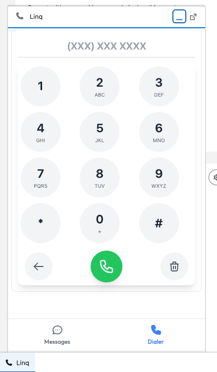
Open a conversation
-
In Salesforce: open a Lead or Contact record and locate the Linq Chat component, then open the conversation thread.
-
-
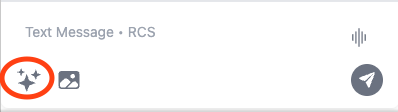
Open the AI / Sparking menu
-
In the message composer, click the AI / Sparking button (the icon with the small group of stars ✨).
-
A menu will appear with options, including Use Message Snippet.

-
-
Insert a snippet
-
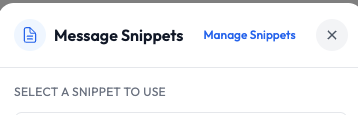
Click Use Message Snippet.
-
Select the snippet you want from the list or suggestions.
-
The snippet text will auto-fill into the input area.
-
Any supported variables (such as
) will be resolved if the contact has that data.
-
- Create a snippet (optional)
- Click manage snippets-this will send you to the browser to create a new snippet

- Click new

- Edit your snippet
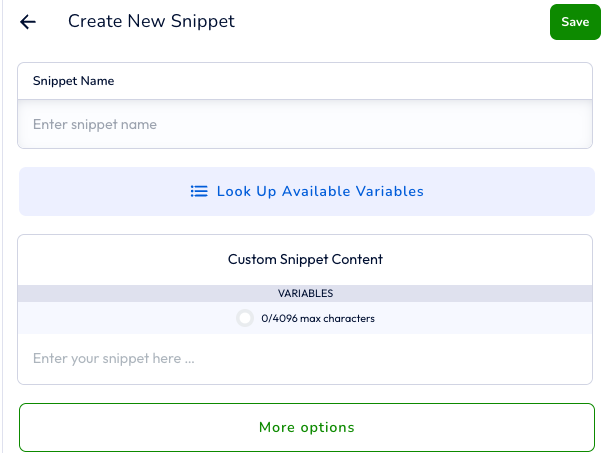
- Click manage snippets-this will send you to the browser to create a new snippet
-
Review and send
-
Edit the text if needed (to add context, personalize further, or adjust tone).
-
Click Send to deliver the message via the configured channel (e.g., iMessage/SMS through Linq).
-
Notes:
- All snippets can be customized from the Linq App (browser, or mobile)