How to Listen And Download Linq Calls in HubSpot
How to Listen To and Download Linq Call Recordings in HubSpot
You can review your Linq phone conversations directly from the Activities tab on a HubSpot contact record. From there, you can either listen to the call or download the recording.
-
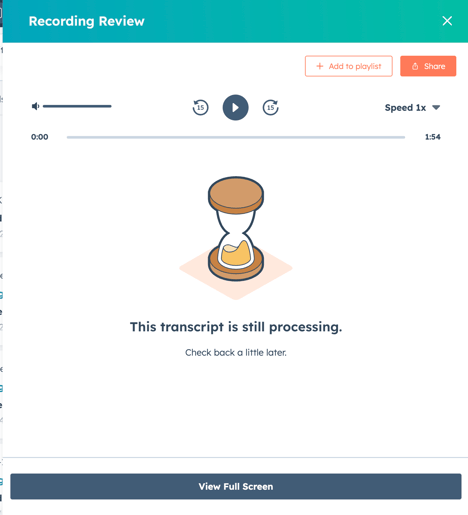
Go to contact page → select, “Activities,” tab →"Calls" click, “Review recording.”


-
The calls can be listened to from here if the phone call conversation is long enough.
-
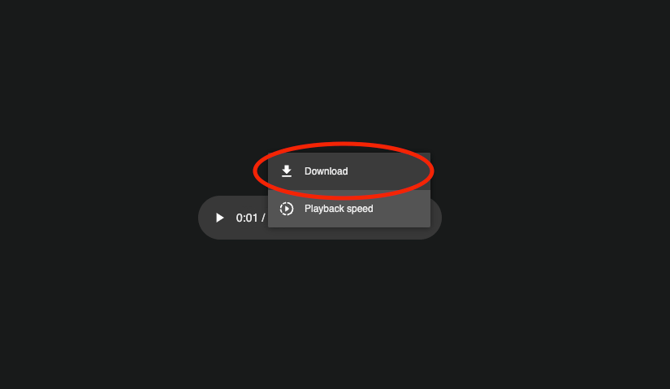
Go to a contact page → select, “Activities,” tab → click share icon on bottom right of call activity → click three dots → click, “Download.”
- A new window will pop up.