
What Are Linq Credits?
Credits in the Linq App are a form of store balance that can be applied toward purchasing Linq products. They act like a digital gift card or store credit within your account.
How Credits Work
-
Apply at Checkout → When you place an order in the Linq Store, available credits will appear as a payment option.
-
Automatic Deduction → If you have credits, they can be automatically applied to your purchase before charging your payment method.
- Product Credits → You may have credits for various products as not all products are worth the same
-
Non-Transferable → Credits are tied to your Linq account and can’t be moved to another user.
-
Expiration → Some credits may expire (e.g., promotional or referral credits). Check your account for details.
Ways You Might Receive Credits
-
Product bundles (e.g., Linq One + Product purchase).
-
Referral rewards or promotions.
-
Support or billing adjustments from the Linq team.
How to View Your Credits
-
Log in at linqapp.com/admin.
- Go to Products → Your credits will be shown.
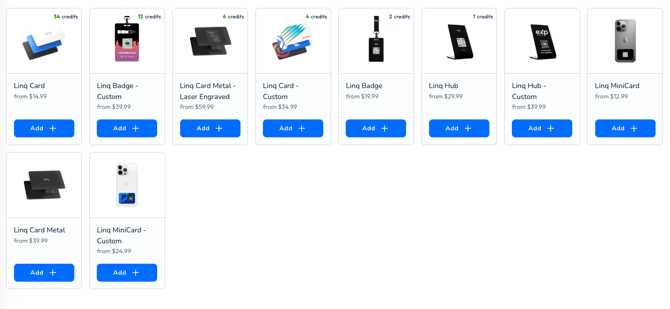
How to use credits.
- Click Use Credits → You will see how many credits you have per item.
- Checkout → Credits will be applied during purchase
Tip: Credits make it easier to try new Linq products without additional charges. Always check your balance before ordering!