
Blocking Numbers in Linq Zero
Linq Zero includes a built-in tool that allows users to block unwanted phone numbers from contacting any numbers. This is especially useful for preventing spam callers, robocalls, or repeated harassment attempts.
This article explains how blocking works, what types of communication can be blocked, and how to add, edit, or remove blocked numbers.
🔒 What Happens When You Block a Number?
When you block a number in Linq Zero:
-
Incoming calls from that number are automatically rejected
-
(If texts apply in your setup) Incoming messages can be also blocked
-
Attempts are logged in your Blocked Attempts tab
-
The number is added to your organization’s Blocked Numbers list
📍 Where to Find the Blocked Numbers Page
-
Log in to your Linq Zero admin dashboard
-
In the left navigation menu, select Blocked Numbers
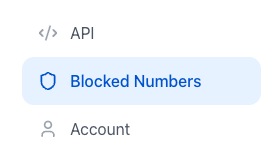
- You will see two tabs:

-
Blocked Numbers — active blocked entries
-
Blocked Attempts — a log of all intercepted calls/messages
🛠 Managing Blocked Numbers
Add a Blocked Number
-
Go to Blocked Numbers → Blocked Number
-
Click Add Blocked Number
-
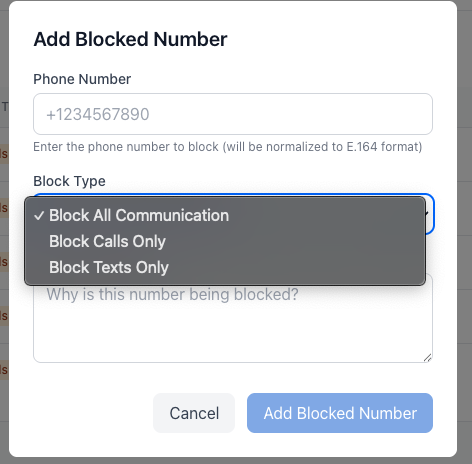
Enter the phone number you want to block
-
Choose a Block Type:
-
Block All Communication
-
Calls Only
-
Texts Only
-
-
(Optional) Add a reason for your records
-
Click Add Blocked Number
The number now appears in your list of blocked entries.
Edit a Blocked Number
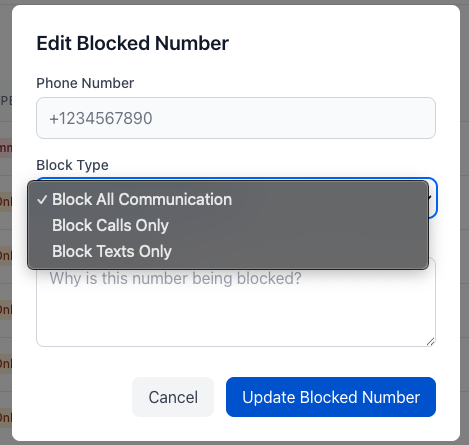
You can update the block type, change the reason, or modify the number.
-
Under Blocked Numbers, find the number
-
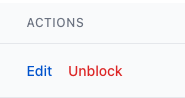
Click Edit
-
Make your changes
-
Update Blocked Number
Changes take effect instantly.
Unblock a Number
To remove a blocked number:
-
In the Blocked Numbers list, find the number
-
Click Unblock
-
Confirm the action
The number is immediately removed and can contact your organization again.
📊 Viewing Blocked Communication Attempts
The Blocked Attempts tab gives you full visibility into blocked activity.

Each entry includes:
-
Time of the attempt
-
Type (Call or Text)
-
Number the communication came from
-
Reason (for example: user_block)
-
Message Preview (if blocking applies to texts)
You can filter by:
-
All Types
-
Calls Only
-
Texts Only
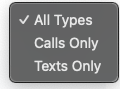
This helps admins identify persistent offenders or confirm that blocking rules are working.
Blocked Numbers Summary Cards
At the top of the Blocked Numbers page, you’ll see four summary cards. These give you a quick snapshot of how blocking is being used on your account:
-
Total Blocked
The total number of phone numbers that are currently blocked on your account (for calls, texts, or both). This reflects all historical blocking activity, not just today.
-
Blocked Calls
The total number of incoming calls that have been blocked because the caller’s number is on your blocked list. These calls will not ring through to your Linq Zero phone.
-
Blocked Texts
The total number of incoming text messages that have been blocked from numbers on your blocked list. These messages will not appear in your Messages inbox.
-
Blocked Today
The number of calls or texts that have been blocked so far today (based on your account’s timezone). This counter resets every day at midnight.
These cards are purely informational—there’s no limit associated with them. They’re designed to help you quickly understand how often unwanted communication is being filtered out and spot any spikes in blocked activity that might need review.
📝 Best Practices
-
Block numbers immediately after repeated spam calls
-
Use Calls Only blocking when you want to keep SMS channels open
-
Use Block All Communication for known spam or harassment
-
Review the Blocked Attempts log monthly to ensure no legitimate callers were added by mistake