
Inside a Linq Phone Call
When you’re on a call using your Linq Phone number inside the Linq app, you have several in-call options to help you stay organized and capture important context in real time.
In-Call Options Overview
While you’re on a call, you’ll see a call options menu with the following actions:
-
Add a Tag
-
Add a Note
-
Speaker Phone
-
Mute
-
Dial Pad / Add a Call
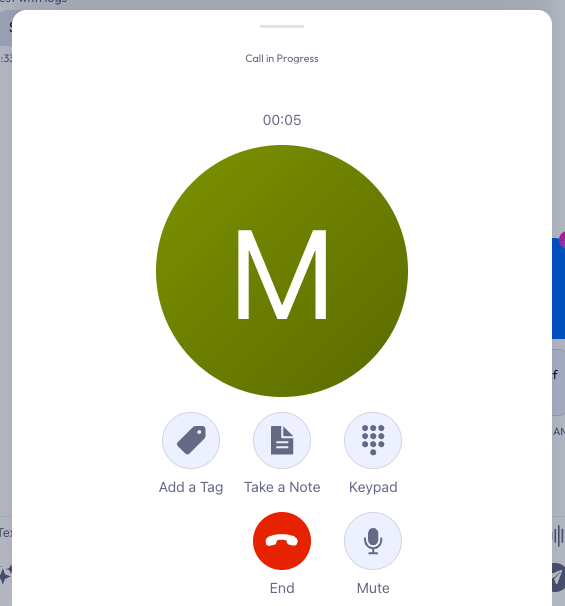
Each one is explained below.
Add a Tag
Use Add a Tag to label the call for quick filtering and reporting later.
Common ways to use tags:
-
Call type:
Demo,Support,Follow-up,Onboarding -
Outcome:
Closed Won,No Show,Reschedule -
Topic:
Billing,Technical,Training
This helps your team quickly understand what the call was about without listening to a recording or reading long notes.
Add a Note
Add a Note lets you capture important details while you’re still on the call.
You can use notes for:
-
Key pain points or goals the caller mentioned
-
Action items or next steps
-
Commitments (“Send proposal by Friday,” “Follow up after launch,” etc.)
Notes stay attached to the call and contact, so anyone on your team can see the context later.
Speaker Phone
Tap Speaker to:
-
Put the call on speaker so you can be hands-free
-
Take notes or look at other information in the app while talking
Tap it again to return the call to your phone’s earpiece.
Mute
Use Mute to temporarily silence your microphone.
-
Helpful when you’re conferring with a colleague in the room
-
Reduces background noise while you check something on your end
Tap again to unmute and continue the conversation.
Dial Pad / Add a Call
The Dial Pad option lets you:
-
Enter numbers during the call (for example, to navigate IVRs or conference bridges)
-
Add another number to the call, if supported, to bring in a third party
This is especially useful when:
-
Joining another conference line
-
Calling a colleague or supervisor into the conversation
-
Navigating automated menus without leaving the Linq Phone call screen