
How do I use the Linq Badge?
The Linq Badge is a wearable version of the Linq Card. It gives you the same digital business card experience, but in a format that’s easy to display on a lanyard at events.
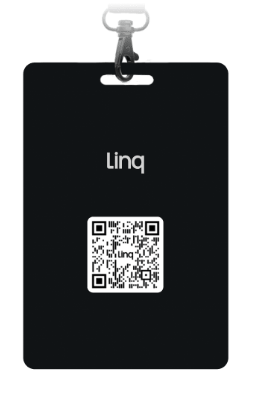
What the Linq Badge Can Do
-
NFC-embedded:
Most modern smartphones can tap the badge to open your Linq page. -
Built-in QR code:
There’s a QR code printed on the front as a backup for phones that don’t support NFC. -
Hands-free sharing at events:
Perfect for:-
Conventions
-
Trade shows
-
Large networking events
Just wear it visibly so people can tap or scan it as they meet you.
-
-
Brand-ready:
You can order badges with your company logo to keep everything on-brand and professional.
How to Use Your Linq Badge
-
Activate and assign it to your page
-
Make sure your badge has been activated and assigned to the correct Linq page in the Linq app (via Products → Activate Product, if not already done).
-
-
Share via NFC (Tap)
-
Ask someone with a compatible smartphone to:
-
Hold the top/back of their phone near the badge (location depends on the phone model).
-
-
Their device will open your Linq page automatically.
-
-
Share via QR code (Scan)
-
If their phone doesn’t support NFC, they can:
-
Open their camera app or QR scanner.
-
Point it at the QR code on your badge.
-
-
A link will appear that opens your Linq page.
-