
What is Calendly?
Calendly is an online scheduling tool that allows people to book time with you automatically. Once you create a Calendly account and a booking link, you can add it directly to your Linq page so visitors can schedule meetings with you seamlessly.
How to Add Calendly to Your Linq Page
Follow these steps to connect your Calendly account to your Linq page:
Step 1: Create a Calendly Account
Go to www.calendly.com and sign up if you haven’t already.
Set up at least one active booking link.
Step 2: Open the Linq App
-
Open the Linq App.
-
Go to the your page.
Step 3: Add the Calendly Button
-
Tap Add Content at the top.

-
Scroll down and select Calendly Button.

Step 4: Enter Your Calendly Username
In the Calendly block, enter only your Calendly username — not the full URL.
-
Your username is the part that comes after
calendly.com/
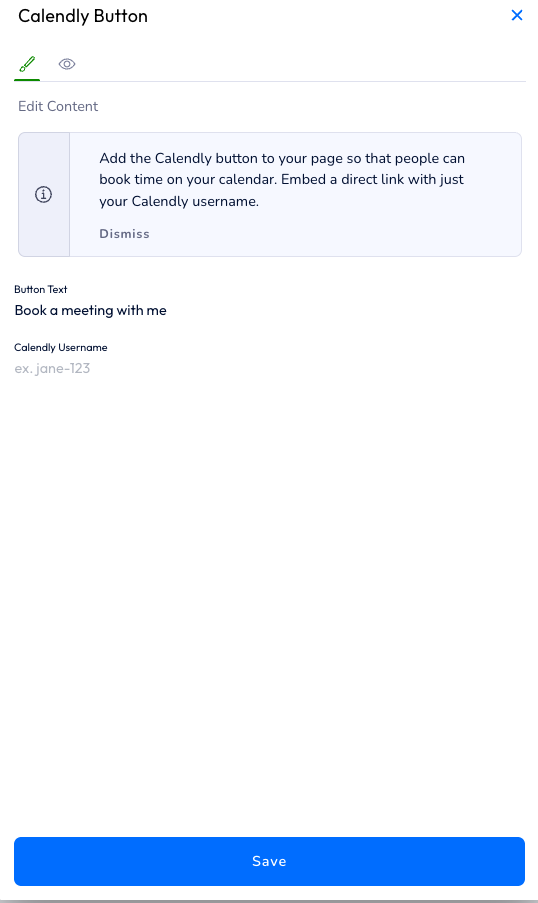
Example
If your link is:
https://calendly.com/johndoe
Then your username is:
johndoe
❗ If you paste the full URL, the button will not work.
Make sure you enter only the username.